Best LinkedIn Growth Tools in 2026: Complete Comparison for B2B Marketers, Sales Teams & Recruiters
If you're a B2B founder, sales professional, or recruiter looking to build visibility on LinkedIn without spending hours every day on the platform, choosing the right linkedin growth tool is one of the highest-leverage decisions you can make in 2026. The landscape has matured significantly: tools now range from simple content schedulers to sophisticated automation platforms that handle outreach sequences, analytics dashboards, and multi-format content generation—all while navigating LinkedIn's evolving compliance requirements.
This guide breaks down the categories, compares leading platforms, addresses safety concerns, and offers recommendations based on your specific goals and budget.
What Is a LinkedIn Growth Tool and Why B2B Professionals Need One in 2026
A LinkedIn growth tool is any software designed to help you build your audience, increase engagement, generate leads, or streamline content creation on LinkedIn. The category includes:
- Content schedulers that queue posts and carousels
- Automation tools that send connection requests and follow-up messages
- Analytics platforms that track impressions, engagement rates, and follower growth
- Engagement platforms that help you interact systematically with target accounts
Why does this matter for B2B marketing? LinkedIn remains the primary professional network for decision-makers. Consistent presence builds trust, surfaces your expertise, and opens conversations that turn into pipeline. But maintaining a regular cadence—posting multiple times per week, responding to comments, nurturing connections—takes time most founders and sales teams don't have.
LinkedIn marketing software fills that gap. It lets you systematize what would otherwise require a dedicated content team or several hours of daily manual effort.
Types of LinkedIn Growth Tools: Automation vs Analytics vs Engagement Platforms
Before diving into specific tools, it helps to understand the three main categories:
1. LinkedIn Automation Tools
These handle repetitive tasks: sending connection requests, follow-up messages, profile visits, and endorsements. They're primarily used for outreach and lead generation.
Best for: Sales teams running cold outreach campaigns, recruiters sourcing candidates at scale.
2. LinkedIn Content Scheduling and Creation Tools
These focus on the publishing side: drafting posts, scheduling content calendars, generating carousels, and sometimes repurposing content across formats.
Best for: Founders building personal brands, marketing teams managing company pages, consultants maintaining thought leadership.
3. LinkedIn Analytics and Engagement Tools
These track performance metrics (impressions, engagement rate, follower growth) and help you understand what content resonates. Some include engagement features like comment tracking or notification of target account activity.
Best for: Anyone optimizing their strategy based on data, teams measuring ROI of LinkedIn efforts.
Many platforms now blend these categories, but understanding the core function helps you choose the right fit.
LinkedIn Terms of Service Compliance: What You Need to Know Before Using Any Tool
LinkedIn actively enforces its User Agreement, which restricts automation that mimics human behavior. Before selecting any tool, understand the risk spectrum:
High-Risk Activities
- Bulk connection requests (especially to people outside your network)
- Automated messaging sequences without personalization
- Scraping profile data at scale
- Using browser extensions that inject code into LinkedIn
Lower-Risk Activities
- Scheduling posts via LinkedIn's native scheduler or approved partners
- Using analytics tools that read data passively
- Draft generation and content planning (no direct LinkedIn interaction)
How LinkedIn Detects Violations
LinkedIn monitors for unusual patterns: rapid-fire connection requests, identical messages sent to hundreds of users, activity outside normal human hours, and IP addresses associated with known automation services.
Compliance-First Approach
- Prefer cloud-based tools with residential IPs over browser extensions
- Set conservative daily limits (e.g., 20-30 connection requests, not 100+)
- Personalize outreach messages instead of blasting templates
- Warm up new accounts gradually before scaling activity
- Separate content scheduling from outreach automation to reduce risk surface
The safest tools are those that focus on content creation and scheduling without directly automating LinkedIn interactions, or those that operate through LinkedIn's official API where available.
Best LinkedIn Growth Tools for Content Creation and Scheduling
For B2B founders and marketers focused on personal branding and thought leadership, content tools deliver the highest ROI with minimal compliance risk.
Typegrow
What it does: AI-assisted post writing, carousel creation, scheduling, and analytics. Typegrow includes a library of viral post templates and engagement tracking.
Pricing (2026): Free tier available; paid plans start around $29/month.
Best for: Solo founders and consultants who want to maintain a consistent posting cadence without a content team.
Taplio
What it does: Content scheduling, AI post generation, CRM-like relationship tracking, and engagement features. Taplio positions itself as a complete LinkedIn growth platform.
Pricing (2026): Starts at $49/month for the standard plan.
Best for: B2B marketers who want combined content and light CRM functionality.
Shield
What it does: Deep analytics focused on LinkedIn content performance—tracks impressions, engagement, follower growth over time, and provides benchmarks.
Pricing (2026): Starts around $25/month.
Best for: Data-driven creators who want to optimize based on performance trends rather than guesswork.
AuthoredUp
What it does: Post formatting, drafts, scheduling, and a library of hooks and templates. Known for clean UI and strong formatting options.
Pricing (2026): Free tier available; paid plans from $19/month.
Best for: Creators who care about post formatting and want a lightweight tool without heavy automation.
YALG
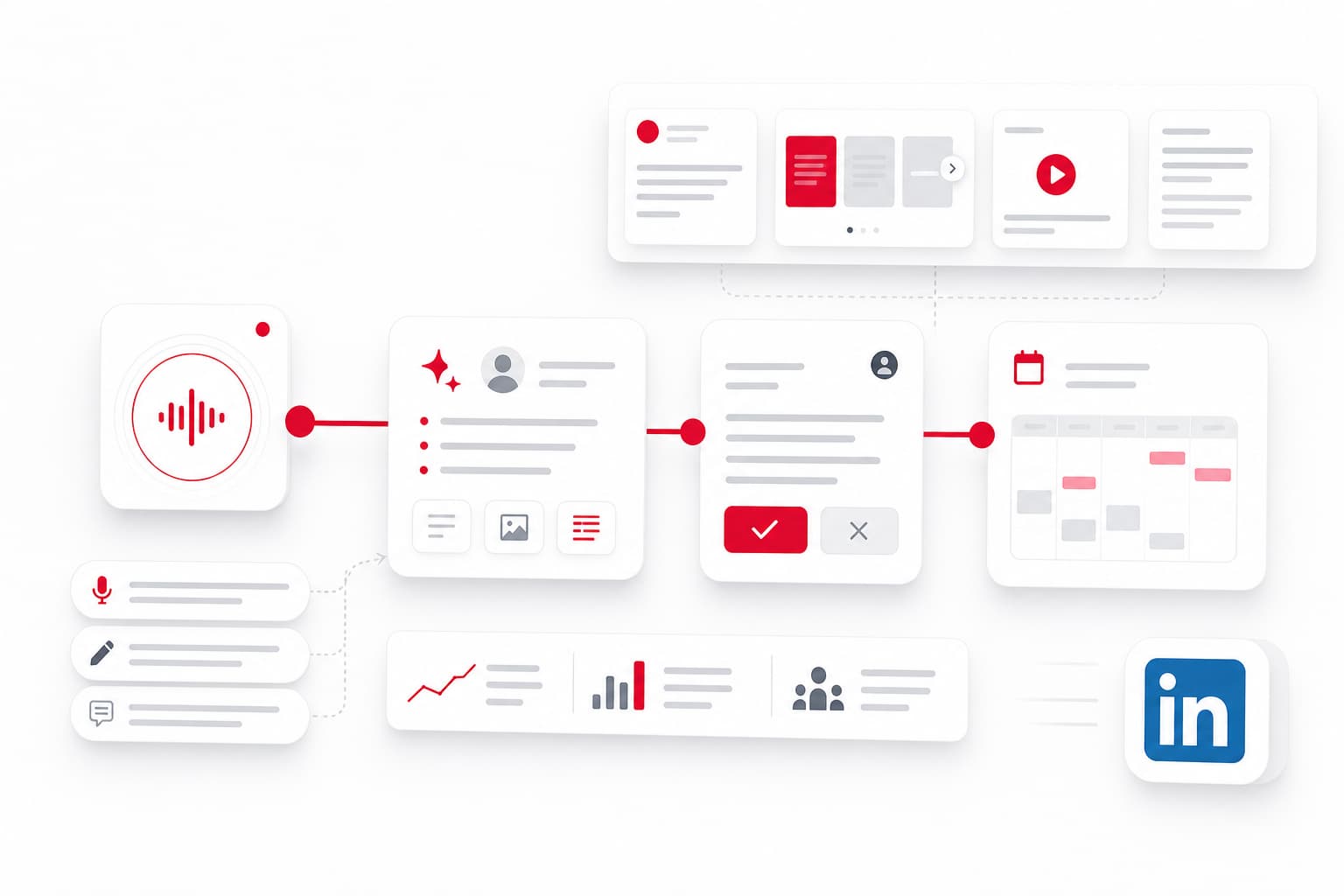
What it does: A Content OS that transforms voice notes and raw ideas into multi-format content (posts, carousels, short scripts, blog articles), with human validation before publishing. Designed for B2B founders who want to maintain their voice while outsourcing the production process.
Pricing (2026): 14-day Pro trial; subscription plans available.
Best for: Founders who have ideas but lack time to write, and want supervised content generation rather than fully automated output.
Top LinkedIn Automation Tools for Outreach and Lead Generation
If your goal is lead generation through connection requests and messaging sequences, these tools specialize in LinkedIn outreach—but use them carefully.
HeyReach
What it does: Multi-account outreach, unified inbox, lead list building, and sequence automation. Designed for sales teams managing multiple LinkedIn profiles.
Pricing (2026): Starts around $79/month per seat.
Compliance notes: Cloud-based with residential IPs; includes daily limit controls.
Best for: Sales teams running coordinated outbound campaigns across multiple reps.
Expandi
What it does: Smart sequences with conditions (e.g., if accepted, send message A; if not, wait and retry), profile warming, and campaign analytics.
Pricing (2026): Approximately $99/month per seat.
Compliance notes: Cloud-based; emphasizes "safe" automation with human-like delays.
Best for: Sales professionals who want sophisticated sequence logic.
Dripify
What it does: Drip campaigns for LinkedIn outreach, lead export, team collaboration features, and A/B testing for messages.
Pricing (2026): From $59/month.
Compliance notes: Includes built-in safety controls and activity limits.
Best for: Small sales teams and agencies managing outreach for multiple clients.
Waalaxy
What it does: Multi-channel sequences (LinkedIn + email), CRM integrations, and prospecting features.
Pricing (2026): Free tier (limited); paid from €56/month.
Compliance notes: Browser extension, which carries higher detection risk than cloud-based tools.
Best for: Users who want LinkedIn + email in one workflow and accept the browser extension tradeoff.
Zopto
What it does: Cloud-based automation for connection requests, messages, and InMails. Includes targeting filters and campaign dashboards.
Pricing (2026): Starts around $197/month.
Compliance notes: Cloud-based; designed for teams with dedicated LinkedIn accounts.
Best for: Larger teams with budget for enterprise-grade outreach.
Best LinkedIn Analytics and Performance Tracking Tools
Measuring what works is essential for refining your LinkedIn strategy.
Shield
Already mentioned above, Shield remains the go-to for LinkedIn analytics in 2026. It tracks post-level performance, audience demographics, and long-term growth trends.
Inlytics
What it does: Analytics dashboard with historical data, content performance scoring, and recommendations for posting times.
Pricing (2026): Free tier available; paid from $12/month.
Best for: Budget-conscious creators who want more than LinkedIn's native analytics.
Hootsuite / Sprout Social / Buffer
What they do: Multi-platform social media management including LinkedIn publishing and analytics. Less specialized than LinkedIn-native tools but useful for teams managing multiple channels.
Pricing (2026): Varies; typically $20-99/month for basic plans.
Best for: Marketing teams managing LinkedIn alongside other social platforms.
LinkedIn Growth Tools by Use Case: Personal Branding vs B2B Sales vs Recruiting
Not all tools fit all goals. Here's a quick decision guide:
Personal Branding (Founders, Consultants, Thought Leaders)
Primary need: Consistent content cadence, authentic voice preservation, engagement tracking.
Recommended tools:
- YALG (for idea-to-content workflow with validation)
- Typegrow or Taplio (for AI-assisted writing and scheduling)
- Shield (for performance analytics)
B2B Sales Teams
Primary need: Lead generation, outreach sequences, response tracking.
Recommended tools:
- HeyReach or Expandi (for safe outreach automation)
- Dripify (for smaller teams and agencies)
- LinkedIn Sales Navigator (for targeting and lead lists)
Recruiters
Primary need: Candidate sourcing, bulk outreach with personalization, pipeline tracking.
Recommended tools:
- Expandi or Zopto (for scalable outreach)
- LinkedIn Recruiter (native solution with full compliance)
- Dripify (for agencies managing multiple clients)
Marketing Teams (Company Pages + Executive Profiles)
Primary need: Content calendar management, cross-platform publishing, team collaboration.
Recommended tools:
- Hootsuite or Sprout Social (for multi-channel management)
- Taplio (for executive thought leadership)
- Shield or Inlytics (for performance tracking)
Free vs Paid LinkedIn Growth Tools: Options for Every Budget
You don't need a large budget to start growing on LinkedIn. Here's how free and paid options compare:
Free Options
| Tool | What's Included Free |
|---|---|
| LinkedIn native scheduler | Basic post scheduling (no analytics beyond impressions) |
| Typegrow free tier | Limited posts per month, basic templates |
| AuthoredUp free tier | Post formatting, limited drafts |
| Inlytics free tier | Basic analytics dashboard |
| Waalaxy free tier | Limited connection requests and messages |
When to Upgrade
Paid plans make sense when:
- You're posting more than 3-4 times per week and need queue management
- You want AI assistance to speed up writing
- You're running outreach campaigns and need sequence logic
- You need team collaboration features or multi-account management
- You want historical analytics beyond 90 days
For most solo founders, starting with free tiers and upgrading once you've validated your content strategy is the practical approach.
How to Choose the Right LinkedIn Growth Tool for Your Goals
Here's a simple framework:
Step 1: Define Your Primary Goal
- Building thought leadership? → Content tools first
- Generating leads? → Outreach automation (with compliance awareness)
- Measuring and optimizing? → Analytics tools
Step 2: Assess Your Risk Tolerance
- Zero risk tolerance? → Content scheduling only, no automation
- Moderate risk tolerance? → Cloud-based automation with conservative limits
- Higher risk tolerance? → Browser extensions or aggressive automation (not recommended for primary accounts)
Step 3: Match to Budget
- $0-30/month: Free tiers + LinkedIn native tools
- $30-100/month: Mid-tier content or automation tools
- $100+/month: Enterprise automation or multi-tool stacks
Step 4: Consider Integration Needs
Do you need CRM integration? Email sequence coordination? Team collaboration? Factor these into your selection.
Step 5: Start Small, Then Scale
Test one tool for 30 days before committing to annual plans or adding more tools. Measure whether it actually saves time and drives results.
Frequently Asked Questions
Are LinkedIn automation tools safe to use in 2026?
It depends on the tool and how you use it. Cloud-based tools with residential IPs and built-in daily limits (like HeyReach or Expandi) are safer than browser extensions that inject code directly into LinkedIn. The safest approach: set conservative limits (20-30 connection requests per day), personalize messages, warm up accounts gradually, and avoid bulk actions. Content scheduling tools carry virtually no risk since they don't automate direct LinkedIn interactions.
What is the best free LinkedIn growth tool?
For content creation and scheduling, Typegrow's free tier offers solid value with limited monthly posts and basic templates. For analytics, Inlytics provides a free dashboard. For formatting and drafts, AuthoredUp has a capable free option. LinkedIn's native post scheduler is also free and fully compliant. The tradeoff: free tiers typically limit volume, remove AI features, and restrict historical data access.
Can LinkedIn growth tools get my account banned?
Yes, aggressive automation can trigger LinkedIn's detection systems, resulting in warnings, temporary restrictions, or permanent bans. Red flags include: sudden spikes in connection requests, identical messages to many users, activity patterns that don't match human behavior, and using IP addresses associated with automation services. Minimize risk by using compliant tools, setting low daily limits, personalizing outreach, and avoiding browser extensions on your primary account.
What is the difference between LinkedIn automation tools and engagement pods?
Automation tools handle outreach tasks: sending connection requests, messages, and managing follow-up sequences. They automate your actions. Engagement pods are groups of users who agree to like and comment on each other's posts to boost reach artificially. They manipulate others' actions. Both carry compliance risks, but pods specifically violate LinkedIn's policies against coordinated inauthentic behavior and can hurt your content's algorithmic performance if detected.
Which LinkedIn growth tool is best for B2B lead generation?
For outreach-focused lead generation, HeyReach, Expandi, and Dripify are the leading options in 2026. HeyReach excels for teams managing multiple accounts; Expandi offers sophisticated sequence logic; Dripify provides good value for smaller teams. All three are cloud-based with safety controls. Pair them with LinkedIn Sales Navigator for targeting and lead list building. For content-driven lead generation (attracting inbound interest), tools like Taplio or YALG help maintain the consistent presence that builds trust over time.
Conclusion: Build Your LinkedIn Presence Systematically
The best LinkedIn growth tool is the one that matches your goals, fits your budget, and helps you maintain a consistent presence without putting your account at risk. For most B2B founders and professionals, that means starting with content creation and scheduling—the highest-leverage, lowest-risk approach—and adding automation or analytics as your strategy matures.
If you're a B2B founder looking to turn raw ideas into a steady content pipeline without building a content team, explore how YALG transforms voice notes into validated, ready-to-publish LinkedIn content. Start your 14-day Pro trial and see the workflow in action.