Best LinkedIn AI Tools in 2026: Automate Outreach, Create Content, and Generate Leads
If you're still manually crafting every LinkedIn post, sending connection requests one by one, and guessing when your audience is online, you're working harder than you need to. The right LinkedIn AI tool can transform hours of repetitive work into minutes of strategic oversight—freeing you to focus on what actually grows your business: building relationships and closing deals.
In 2026, AI tools for LinkedIn have evolved far beyond simple scheduling. They now write posts in your voice, identify high-value prospects, optimize your profile for search, and even predict which content will resonate before you hit publish. But with dozens of platforms competing for your attention, choosing the right one feels overwhelming.
This guide cuts through the noise. You'll discover the five core categories of LinkedIn AI tools, compare top performers in each, and learn how to stay compliant with LinkedIn's policies while maximizing your results.
What LinkedIn AI Tools Actually Do (And Why You Need One in 2026)
A LinkedIn AI tool is software that uses artificial intelligence to automate, optimize, or enhance your LinkedIn activities. These platforms handle tasks ranging from writing posts and generating leads to analyzing engagement patterns and optimizing your profile.
The category has matured significantly. Early automation tools simply scheduled posts or auto-sent connection requests. Today's AI-powered LinkedIn platforms leverage large language models to understand context, learn your communication style, and adapt strategies based on real-time performance data.
Why does this matter now? Three shifts make AI tools essential in 2026:
Algorithm complexity has increased. LinkedIn's feed prioritizes authentic engagement and conversation over broadcast-style content. Timing, format, and voice consistency all influence reach. AI tools analyze these variables faster than any human could.
Competition for attention has intensified. More professionals are creating content than ever before. Standing out requires consistent, high-quality posting—something that creates serious creative fatigue without assistance.
Personalization expectations have risen. Generic outreach gets ignored. AI tools can personalize messages at scale, referencing shared connections, recent posts, or company news without requiring hours of manual research.
For creators, coaches, consultants, and marketing teams publishing across multiple platforms, professional networking AI has shifted from nice-to-have to operational necessity.
5 Categories of LinkedIn AI Tools: Finding the Right Fit for Your Goals
Not all LinkedIn automation tools serve the same purpose. Understanding these categories helps you invest in what actually matches your objectives.
1. Content Generation Tools
These platforms help you create posts, articles, carousels, and even video scripts. The best ones learn your voice over time and suggest ideas based on trending topics in your industry.
2. Outreach Automation Platforms
Designed for lead generation, these tools automate connection requests, follow-up sequences, and initial conversations. They typically include CRM integrations and campaign tracking.
3. Profile Optimization Assistants
These analyze your headline, summary, experience sections, and skills to improve keyword placement and overall discoverability in LinkedIn search.
4. Engagement and Analytics Tools
Focused on growth metrics, these platforms track post performance, identify optimal posting times, surface engagement opportunities, and benchmark you against competitors.
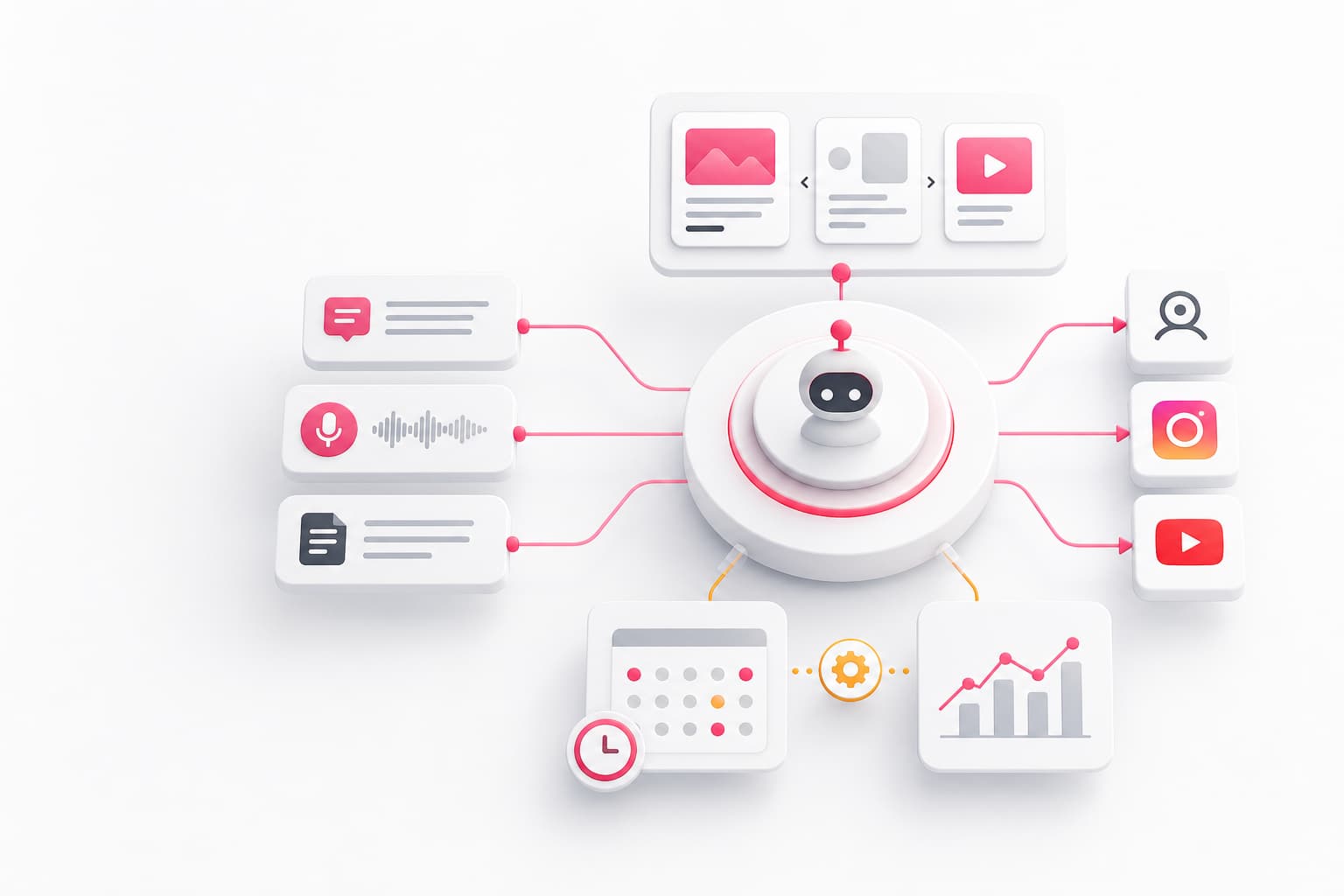
5. Multi-Platform Creator Operating Systems
These comprehensive solutions combine content creation, scheduling, and analytics across LinkedIn and other platforms—ideal for creators who repurpose content across channels.
Most professionals benefit from combining tools across categories. A content generator paired with an analytics platform, for example, creates a feedback loop that continuously improves your strategy.
Best AI Content Generators for LinkedIn Posts and Articles
Content creation remains the most time-consuming aspect of LinkedIn presence. An AI LinkedIn post generator can reduce a 30-minute writing session to 5 minutes of editing.
What to Look For
- Voice learning capabilities: The tool should adapt to your writing style, not produce generic output
- Format variety: Support for text posts, carousels, articles, and hooks
- Engagement optimization: Suggestions for improving hooks, calls-to-action, and readability
- Story-based workflows: The best tools let you input anecdotes or ideas and transform them into polished content
Top Performers in 2026
Platforms with strong voice matching learn from your previous posts or voice recordings to maintain authenticity. This matters because LinkedIn's algorithm and your audience can detect generic AI content.
Story-to-content pipelines represent the latest evolution in LinkedIn content AI. These tools let you capture ideas via text or voice memo, then transform those raw inputs into multiple content formats. This approach solves the "blank page" problem while keeping your authentic voice.
Carousel generators have become particularly valuable as visual content continues to outperform text-only posts in engagement metrics.
When evaluating any AI content creation tool, request a trial and generate content on a topic you know deeply. If the output misses nuance or sounds like everyone else in your industry, the tool isn't sophisticated enough for serious professional use.
Top LinkedIn Outreach Automation Tools for Lead Generation
For sales teams and recruiters, LinkedIn lead generation at scale requires automation. AI-powered LinkedIn outreach tools handle prospecting, initial contact, and follow-up sequences while maintaining personalization.
Essential Features
- Smart prospecting: AI that identifies high-fit prospects based on multiple criteria
- Personalization at scale: Dynamic message fields that pull from prospect profiles
- Sequence management: Multi-step campaigns with conditional logic
- Safety controls: Built-in limits that keep activity within LinkedIn's guidelines
- CRM integration: Seamless data flow to your sales tools
Compliance Considerations
LinkedIn marketing automation tools vary dramatically in their approach to platform compliance. Some operate as browser extensions that mimic human behavior within LinkedIn's interface. Others use API access or run cloud-based scraping that LinkedIn actively blocks.
The safest tools:
- Operate within browser environments rather than external servers
- Enforce daily connection and message limits
- Include randomization to avoid detection patterns
- Provide activity logs for compliance auditing
Performance Benchmarks
Effective outreach tools typically deliver 30-50% connection acceptance rates (compared to 10-15% for generic approaches) and 15-25% response rates on initial messages. These numbers depend heavily on targeting quality and message personalization.
LinkedIn Profile Optimization Tools: Let AI Polish Your Presence
Your LinkedIn profile is often the first impression prospects, recruiters, or collaborators have of you. LinkedIn profile optimization tools use AI to improve your visibility in search results and conversion rate when people land on your page.
What These Tools Analyze
- Headline effectiveness: Keyword placement plus compelling value proposition
- Summary structure: Storytelling flow, call-to-action clarity, keyword integration
- Experience descriptions: Achievement quantification and skill keywords
- Skills and endorsements: Gap analysis versus your target roles
- Overall completeness: LinkedIn's algorithm favors fully completed profiles
Typical Improvements
A LinkedIn AI assistant focused on profiles can increase profile views by 40-60% through better keyword optimization alone. Adding a compelling headline rewrite often improves connection request acceptance rates significantly.
These tools work best when you provide them with clear information about your target audience and goals. A profile optimized for executive recruiting looks different from one optimized for inbound consulting leads.
AI Analytics and Engagement Tools for LinkedIn Growth
Data-driven creators outperform those who post and hope. LinkedIn engagement tools provide the insights needed to refine your strategy continuously.
Key Metrics Worth Tracking
- Engagement rate by content type: Which formats resonate with your audience?
- Optimal posting times: When is your specific audience most active?
- Follower growth trends: What content drives follows versus just likes?
- Comment quality: Are you attracting meaningful conversations or just emoji reactions?
- Click-through rates: For posts with links, how many people actually take action?
Advanced Capabilities
Social media AI tools now offer predictive analytics—estimating how well content will perform before publication. This helps you prioritize your best ideas and refine weaker ones before they consume posting slots.
Some platforms also surface engagement opportunities: posts from your network worth commenting on, questions in your niche needing answers, and trending topics to join before they peak.
For teams managing multiple accounts, unified analytics dashboards become essential. Comparing performance across team members helps identify what's working and standardize best practices.
LinkedIn Compliance and Safety: Avoiding Account Restrictions with Automation
Any conversation about LinkedIn automation tools must address compliance. LinkedIn actively monitors for automated behavior and restricts accounts that violate their terms.
What Triggers Restrictions
- Excessive connection requests: More than 100 per week for most accounts
- Repetitive messaging: Identical text sent to multiple recipients
- Rapid actions: Hundreds of profile views or likes in short timeframes
- Third-party automation detection: Cloud-based tools that don't mimic browser behavior
- Low acceptance rates: Too many ignored or declined connection requests
How to Stay Safe
Choose tools that operate within your browser. These mimic human behavior more convincingly than cloud-based platforms that LinkedIn can detect through session analysis.
Respect daily limits. Safe operating ranges in 2026:
- Connection requests: 20-30 per day maximum
- InMails: Follow your subscription limits
- Profile views: Under 100 per day
- Post engagements: Under 50 per day for automated actions
Use randomization. Tools should vary timing, action sequences, and idle periods to avoid detection patterns.
Warm up new automation gradually. Don't go from zero automation to full campaigns overnight. Scale activity over 2-4 weeks.
Monitor acceptance rates. If fewer than 20% of connection requests are accepted, your targeting needs refinement—and you're at higher restriction risk.
How to Choose the Right LinkedIn AI Tool for Your Team
With categories and options clarified, here's a decision framework for selecting your stack.
Start With Your Primary Objective
| Goal | Tool Category Priority |
|---|---|
| Grow thought leadership | Content generation + Analytics |
| Generate sales leads | Outreach automation + Profile optimization |
| Recruit talent | Outreach automation + Profile optimization |
| Build personal brand | Content generation + Profile optimization |
| Scale a marketing team | Multi-platform creator OS + Analytics |
Evaluate Integration Requirements
If you use a CRM like HubSpot or Salesforce, outreach tools must integrate cleanly. If you publish across LinkedIn, Instagram, and YouTube, a multi-platform system eliminates redundant work.
Consider Team Size
Solo creators benefit from all-in-one platforms that minimize tool switching. Teams need collaboration features: shared calendars, approval workflows, and role-based access.
Calculate Total Cost of Ownership
LinkedIn AI tools range from free browser extensions to enterprise platforms at $200+ per seat monthly. But cost comparisons should include time savings. A $99/month tool that saves 10 hours monthly effectively costs less than the time it replaces for most professionals.
Test Before Committing
Most reputable platforms offer free trials or free tiers. Use these to generate real content, run limited outreach, or analyze your actual data. Generic demos don't reveal how well a tool handles your specific needs.
Frequently Asked Questions
Are LinkedIn AI automation tools safe to use in 2026?
Safety varies significantly by tool type and usage. Browser-based tools that respect LinkedIn's rate limits and mimic natural human behavior carry minimal risk. Cloud-based scrapers and aggressive automation that exceeds daily limits can trigger account restrictions or permanent bans. Best practices include starting with conservative daily limits (20-30 connection requests, under 50 automated engagements), choosing tools with built-in safety features, and monitoring your acceptance rates closely.
Can AI tools write LinkedIn posts that sound like me?
Modern AI content generators can learn your voice remarkably well, but they require training data and ongoing refinement. The best tools analyze your previous posts, accept voice recordings to capture speech patterns, or let you input stories that inform their writing style. Expect to edit generated content initially—most users find AI handles 70-80% of the work, with human editing providing the final polish that maintains authenticity.
What is the best free LinkedIn AI tool?
Several reputable tools offer free tiers or browser extensions. These typically provide limited functionality: basic post drafting, profile analysis, or connection tracking. Free options work well for testing categories and light usage, but serious professionals usually find paid tiers necessary for consistent results. Look for free trials of premium tools rather than permanently free products, as the latter often have significant capability gaps.
How much do LinkedIn AI tools cost?
Pricing spans a wide range. Basic browser extensions and limited free tiers cost nothing. Individual creator plans for content generation or analytics typically run $19-49 monthly. Professional outreach automation ranges from $49-99 per month. Enterprise platforms with team features, advanced integrations, and higher limits cost $99-200+ per seat. Many tools offer annual discounts of 20-30%.
Will LinkedIn ban my account for using automation tools?
LinkedIn can restrict accounts for automation misuse, but bans typically result from aggressive behavior rather than tool usage itself. Cloud-based tools that LinkedIn detects through server-side analysis carry higher risk than browser extensions. Exceeding connection request limits, sending identical messages at scale, or experiencing very low acceptance rates all increase restriction probability. Conservative usage within published limits—especially with reputable tools that prioritize compliance—rarely triggers enforcement action.
Start Automating Smarter, Not Harder
The right LinkedIn AI tool doesn't replace your professional expertise—it amplifies it. By automating repetitive tasks, generating content frameworks, and surfacing data-driven insights, these platforms free you to focus on the strategic thinking and relationship building that actually drives career and business growth.
For creators juggling multiple platforms, the fatigue of maintaining consistent presence across LinkedIn, Instagram, and YouTube is real. A unified system that transforms your stories into multi-format content—while keeping your authentic voice intact—eliminates the blank-page problem and the tool-switching chaos.
Ready to build your creator brand without burning out? Start by connecting your platforms and capturing a few of your best anecdotes. You might be surprised how quickly AI can turn your expertise into a consistent content engine.