Best Content Repurposing Tools in 2026: Transform One Piece Into Multi-Platform Content
Creating one strong piece of content is hard. Manually reformatting that piece for LinkedIn, TikTok, your blog, email, and YouTube Shorts? That's where most B2B founders give up—or burn out. A content repurposing tool solves this by automating the transformation of a single idea into multiple formats, letting you maintain a consistent publishing cadence without hiring a full content team.
This guide compares the best content repurposing tools available in 2026, with honest breakdowns of features, pricing, use cases, and workflow fit. Whether you're a solo founder recording voice memos between calls or a small marketing team looking to scale output, you'll find a practical path forward here.
What Is a Content Repurposing Tool and Why It Matters in 2026
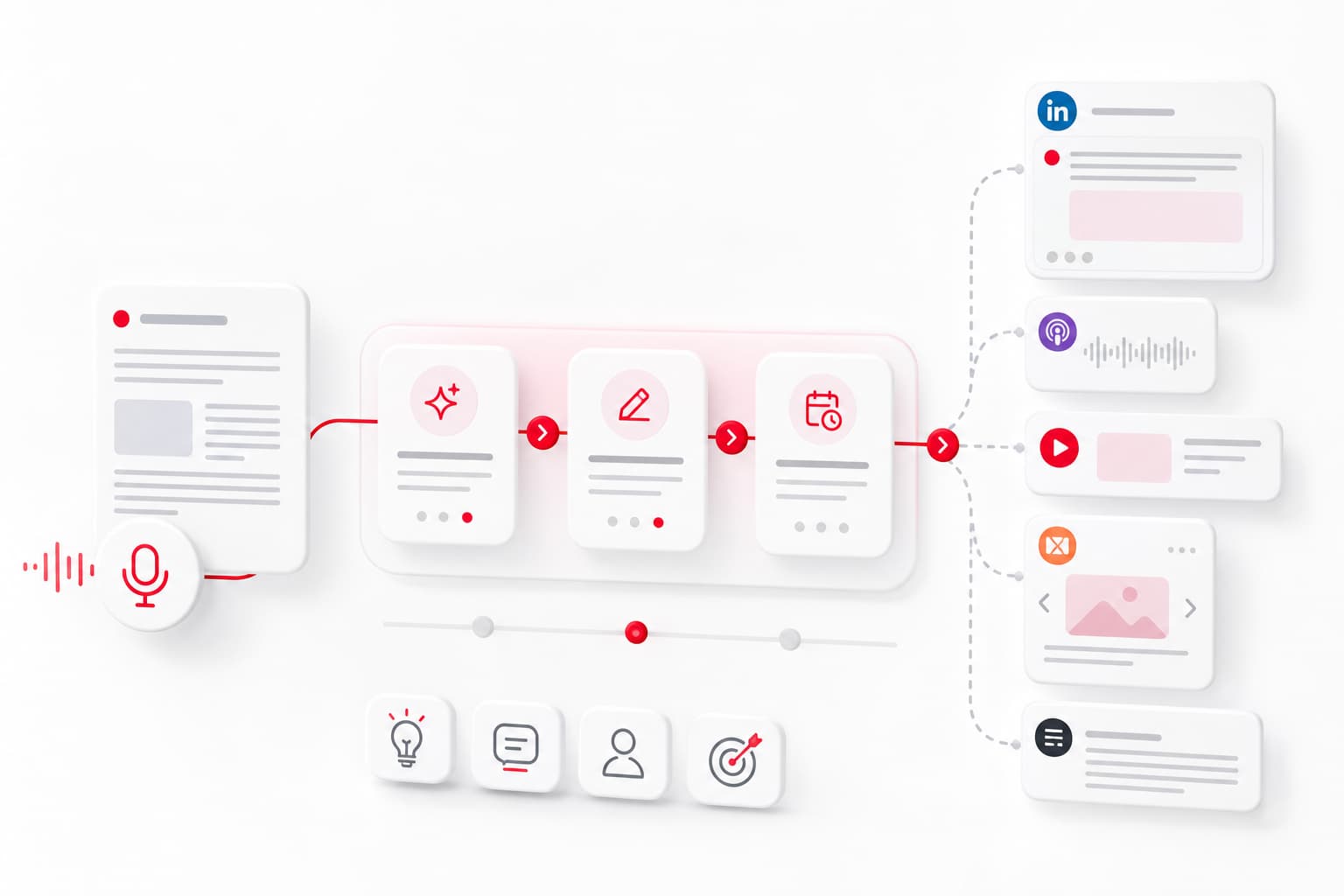
Content repurposing software takes existing content—a blog post, a podcast episode, a webinar, a long-form video—and transforms it into new formats optimized for different platforms. Think: turning a 45-minute YouTube video into 10 vertical clips for Reels, a LinkedIn carousel, three Twitter threads, and a summarized blog post.
In 2026, AI content repurposing has moved from experimental to essential. Here's why:
- Platform fragmentation is permanent. Your audience splits attention across LinkedIn, TikTok, newsletters, podcasts, and YouTube. One format doesn't reach everyone.
- Algorithm rewards volume and consistency. Posting once a week on one channel won't keep you top-of-mind. A steady cadence across platforms compounds visibility.
- Time is the bottleneck. Most founders and small teams can create one strong piece weekly. Repurposing multiplies that investment without multiplying hours.
Content automation through repurposing tools doesn't replace original thinking—it extends its reach. The core idea (your insight, your lesson, your client story) stays yours. The tool handles the reformatting, resizing, and platform-specific adjustments.
How We Evaluated the Best Content Repurposing Tools
To compare the best content repurposing tools 2026 has to offer, we focused on criteria that matter for real workflows:
- AI Capabilities: How well does the tool understand context, maintain coherence, and generate platform-ready output? Does it handle voice-to-text, clip selection, or rewriting for different tones?
- Input/Output Formats: Can it process video, audio, text, and images? What outputs does it produce—vertical clips, carousels, blog drafts, social posts, audiograms?
- Platform Integrations: Does it connect directly to LinkedIn, YouTube, TikTok, Instagram, Twitter/X, podcast hosts, or CMS platforms for scheduling and publishing?
- Pricing Tiers: What's the cost at different usage levels? Is there a functional free tier, and where do paywalls hit?
- Workflow Fit: Is it designed for solo creators, small teams, or enterprise? Does it require heavy setup or work out of the box?
- Human Supervision: Can you review, edit, and approve before publishing—or does it push content live automatically?
This last point matters. AI-generated repurposed content still needs your judgment. Tools that support a validation step before publishing help you maintain quality and voice.
Top Content Repurposing Tools Compared: Features, Pricing, and Use Cases
Here's how the leading content repurposing software options stack up as of mid-2026:
OpusClip
Best for: Video-first creators turning long-form into short clips
- What it does: AI-powered video clipping. Upload a YouTube video or podcast recording; OpusClip identifies the best moments and generates vertical clips with auto-captions.
- Strengths: Fast, accurate clip selection. Good caption styling. Direct export to TikTok, Reels, Shorts.
- Limitations: Focused on video output only. No blog or text repurposing. Limited scheduling features.
- Pricing (2026): Free tier with watermark and limits. Pro starts around $19/month.
Repurpose.io
Best for: Automated cross-posting from podcasts and live streams
- What it does: Connects audio/video sources (YouTube, Twitch, podcast RSS, Zoom) and automatically distributes to multiple social platforms.
- Strengths: Strong automation for podcast-to-social workflows. Set it once, runs in background.
- Limitations: Less AI-driven editing. You're distributing existing content rather than transforming it.
- Pricing (2026): Starts at $25/month for core features. Higher tiers for more destinations.
Castmagic
Best for: Podcast hosts who want transcripts, show notes, and social posts from episodes
- What it does: Upload an audio file; Castmagic transcribes, generates show notes, timestamps, key quotes, social posts, and newsletter drafts.
- Strengths: Deep podcast-specific output. Multiple content types from one upload.
- Limitations: Audio-first—not ideal for video or text input. Outputs need review for accuracy.
- Pricing (2026): Free trial, then plans starting around $29/month.
Descript
Best for: Teams editing podcasts and videos who want repurposing built into post-production
- What it does: Full audio/video editor with transcription. Edit by editing text. Export clips, audiograms, and social snippets.
- Strengths: Powerful editing plus repurposing in one tool. Great for polished output.
- Limitations: Learning curve for new users. Repurposing features secondary to editing.
- Pricing (2026): Free tier with limits. Creator plan around $15/month. Pro at $30/month.
ContentStudio
Best for: Social media teams managing multi-platform scheduling with AI assistance
- What it does: Social media management platform with AI content generation, repurposing suggestions, and scheduling across channels.
- Strengths: All-in-one for social. Decent AI writing assistance.
- Limitations: More a social scheduler than a dedicated repurposing engine.
- Pricing (2026): Starts around $25/month. Team plans scale higher.
Jasper
Best for: Marketing teams focused on written content transformation
- What it does: AI writing platform. Takes existing content and rewrites for different formats, tones, and lengths.
- Strengths: Excellent text repurposing (blog to LinkedIn, long to short). Brand voice training.
- Limitations: No native video or audio processing. Separate tools needed for multimedia.
- Pricing (2026): Creator plan starts around $49/month. Business plans higher.
Canva
Best for: Visual content—carousels, social graphics, short video clips
- What it does: Design platform with AI features for generating social posts, resizing content for platforms, and creating carousels from text.
- Strengths: Visual polish. Easy to use. Huge template library.
- Limitations: Not built for long-form transformation. Manual work for each piece.
- Pricing (2026): Free tier available. Pro at $13/month.
quso.ai
Best for: AI-driven social content generation from various inputs
- What it does: Generates social posts, threads, and short content from URLs, documents, or prompts.
- Strengths: Fast output. Multiple platform formats.
- Limitations: Newer tool; fewer integrations. Needs human review for voice consistency.
- Pricing (2026): Freemium with paid plans starting around $20/month.
Best Tools for Video-to-Blog and Blog-to-Video Conversion
Cross-format transformation—video to blog converter workflows or turning articles into video—requires tools that handle both text and multimedia.
Video to Blog
Descript + Jasper combo: Use Descript to transcribe and rough-edit video content, then feed the transcript into Jasper to rewrite it as a structured blog post. This two-step workflow gives you control over both the source material and the written output.
Castmagic: For podcast-style videos, Castmagic's transcript-to-article pipeline works well. Upload the video's audio track, get a structured summary plus key points that form a blog skeleton.
Blog to Video
Pictory: Converts blog posts into short videos with AI-selected stock footage, captions, and voiceover. Good for teams publishing video summaries of written content.
Canva: For simpler needs, Canva's video templates let you paste blog excerpts into animated text videos or carousel-style explainers.
Practical workflow example:
- Record a 20-minute founder update video
- Run through Descript for transcript + rough clips
- Send transcript to Jasper → get a 1,200-word blog post
- Run the same video through OpusClip → get 5-8 vertical clips for Shorts/Reels
- Use Canva to turn blog key points into a LinkedIn carousel
One video, five content formats. Time investment after recording: under an hour with the right tool stack.
Podcast Repurposing: Turn Episodes Into Social Content and Articles
Podcast episodes are content goldmines—but only if you extract the value. Podcast to social media workflows multiply your episode's reach.
Transcript-Based Repurposing
Castmagic and Descript both generate accurate transcripts. From there:
- Pull key quotes for LinkedIn posts and Twitter threads
- Generate episode summaries for newsletters
- Create timestamped show notes for SEO
- Draft blog posts from the full transcript
Audiogram Generation
Headliner and Descript both create audiograms—short video clips with waveform animations and captions. These perform well on LinkedIn and Instagram where native audio doesn't autoplay.
Clip Extraction
For video podcasts, OpusClip identifies high-engagement moments automatically. For audio-only, Descript's clip feature lets you select transcript sections and export as standalone audio or video snippets.
Content multiplier math: A 45-minute podcast episode can realistically generate:
- 10-15 short video clips
- 3-5 audiograms
- 1 blog post (1,500+ words)
- 5-8 social posts (quotes, insights, questions)
- 1 newsletter summary
- Show notes with timestamps
That's 20+ content pieces from one recording session. The tool handles formatting; you handle quality control.
All-in-One Platforms vs Specialized Repurposing Tools
Should you pick a dedicated content repurposing software or use repurposing features built into broader platforms?
All-in-One Platforms
Pros:
- Single subscription covers multiple needs
- Unified workflow (create, repurpose, schedule, publish)
- Less tool-switching
Cons:
- Repurposing features often secondary
- May not match specialized tool quality
- Vendor lock-in
Examples: ContentStudio, Sprout Social, HubSpot's content tools
Specialized Tools
Pros:
- Built specifically for repurposing
- Often better AI for format transformation
- More flexible in tool stacks
Cons:
- Requires integrating multiple tools
- More subscriptions to manage
- Potential workflow friction
Examples: OpusClip, Castmagic, Repurpose.io
Decision framework:
- If you already use a social management platform with decent repurposing features, test those first.
- If your content distribution needs are simple (one platform, occasional repurposing), all-in-one works.
- If content automation is core to your strategy and you need cross-platform content at scale, specialized tools deliver better results.
How to Choose the Right Tool Based on Team Size and Budget
Solo Founders (Budget: $0-50/month)
Recommended stack:
- Canva Free/Pro for visuals and carousels
- OpusClip Free for video clips (accept watermarks or upgrade)
- Descript Free for basic transcription and editing
Priority: Minimize subscriptions. Accept some manual work. Focus on one or two output formats that match your main platform.
Small Teams (2-5 people, Budget: $100-300/month)
Recommended stack:
- Castmagic or Descript Pro for audio/video processing
- Jasper Creator for text repurposing
- OpusClip Pro for video clips
- ContentStudio or Buffer for scheduling
Priority: Automate repetitive reformatting. Build a repeatable weekly workflow. Ensure someone reviews before publishing.
Content Operations (5+ people, Budget: $500+/month)
Recommended stack:
- Descript Business for full editing suite
- Jasper Business with brand voice training
- Enterprise scheduling tools with approval workflows
- Custom integrations via Zapier or native APIs
Priority: Scale output without scaling errors. Build approval workflows. Maintain brand voice across volume.
Setting Up an Efficient Content Repurposing Workflow
Tools alone don't create efficiency. You need a repeatable process with clear checkpoints.
Step 1: Capture
Start with your highest-value content format. For many founders, this is a voice memo, a recorded meeting insight, or a client call takeaway. Some prefer writing; others record video.
Key: Make capture frictionless. A 3-minute voice note beats a blank document you never start.
Step 2: Transform
Run your source content through your repurposing tool stack:
- Audio/video → transcripts, clips, audiograms
- Long-form text → social posts, threads, summaries
- Blog posts → carousels, video scripts, email drafts
Key: Batch process. Don't repurpose one piece at a time. Process a week's content in one session.
Step 3: Review and Edit
AI output needs supervision. Check for:
- Factual accuracy (AI can hallucinate details)
- Voice consistency (does it sound like you?)
- Platform fit (LinkedIn tone ≠ TikTok tone)
- Brand alignment (no claims you can't support)
Key: Never publish AI-generated repurposed content without human review. Build this step into your workflow explicitly.
Step 4: Schedule and Publish
Queue approved content across platforms. Use scheduling tools to maintain consistent cadence without daily manual posting.
Key: Front-load approval. Batch-schedule for the week. Check once daily for engagement, not for publishing.
Step 5: Learn and Iterate
Track what performs. Which repurposed formats drive engagement on which platforms? Feed insights back into your next capture session.
Key: Repurposing isn't set-and-forget. The loop improves when you notice what resonates.
Frequently Asked Questions
What is the best free content repurposing tool in 2026?
Canva Free offers solid visual repurposing—carousels, social graphics, basic video. OpusClip's free tier handles video clipping with watermarks. Descript Free covers basic transcription and audio editing. For serious repurposing volume, free tiers hit limits quickly: restricted exports, watermarks, or capped minutes. Most creators find value in upgrading at least one tool once they've validated the workflow.
Can AI content repurposing tools maintain my brand voice?
Partially, with supervision. Tools like Jasper offer voice training features where you provide example content. Others generate more generic output that requires editing. No current tool perfectly replicates a founder's voice without review. Treat AI output as a draft, not a final product. The human validation step—editing for tone, specificity, and your particular way of framing ideas—is what keeps content from sounding generic.
How many content pieces can I create from one blog post or video?
Realistically, 10-25 pieces depending on source length and target formats:
- A 2,000-word blog post can yield 5-8 social posts, 1-2 Twitter threads, 1 LinkedIn carousel, 1 email summary, and 3-5 quote graphics.
- A 30-minute video can produce 8-15 short clips, 1 blog post, 5-10 social posts from transcript, 2-3 audiograms (if audio-heavy), and show notes.
The multiplier depends on how much distinct value exists in the source. A rambling video yields fewer usable clips than a structured one.
Which content repurposing tool works best for LinkedIn and short-form video?
For LinkedIn posts and carousels: Jasper handles text repurposing well. Canva creates polished carousels. For a workflow designed around founder content specifically, tools like YALG combine capture, generation, and validation in one pipeline.
For short-form video (TikTok, Reels, Shorts): OpusClip leads for automated clip selection and vertical formatting. Descript works well if you need more editing control.
Is it worth paying for content repurposing software or can I do it manually?
Calculate your time cost. Manual repurposing—transcribing, reformatting, resizing, rewriting—takes 2-4 hours per piece of source content. If you value your time at $100/hour and you're producing weekly content, that's $800-1,600/month in time cost.
A $50-150/month tool stack that cuts repurposing time by 75% pays for itself immediately. The ROI question isn't whether to pay—it's whether you're publishing enough content to justify any repurposing investment. If you're posting twice a month, manual works. If you're maintaining weekly cadence across multiple platforms, tools become essential.
Start Building Your Repurposing System
The best content repurposing tools in 2026 share one trait: they multiply your effort without multiplying your hours. Pick tools that match your primary content format, integrate with your existing platforms, and—critically—let you review before publishing.
If you're a B2B founder looking to maintain LinkedIn presence without becoming a full-time content creator, a supervised content pipeline makes the difference between sporadic posting and consistent visibility. Start with capture (voice memos work), run through transformation (the tools above), and always validate before publishing.
Your insights deserve more reach than a single format allows. The right repurposing system gets them there.