Best AI Tools for LinkedIn in 2026: Complete Comparison for Content, Outreach & Growth
Finding the best AI tool for LinkedIn in 2026 depends on one question: what do you actually need it to do? Some founders want a content machine that turns voice memos into posts. Others need outreach automation that generates qualified leads while they sleep. And some just want to fix a headline that hasn't converted in months.
This guide breaks down the top AI tools for LinkedIn across four categories: content creation, outreach automation, profile optimization, and analytics. No vague rankings. No affiliate-driven hype. Just a practical comparison based on what each tool actually delivers—and what it costs.
What Makes an AI Tool for LinkedIn Worth Using in 2026
Before comparing specific platforms, it helps to define what separates useful LinkedIn AI tools from the noise.
Core Evaluation Criteria
Output quality over speed. Any tool can generate content fast. The question is whether that content sounds like you—or like every other AI-generated post flooding the feed. Look for tools that let you train on your voice, validate before publishing, and avoid the generic "thought leadership" tone that gets ignored.
Compliance and account safety. LinkedIn has tightened enforcement on automation in 2026. Tools that simulate human behavior with rate limiting, dedicated proxies, and gradual warm-up periods are safer. Tools that blast connection requests at scale are account killers.
Workflow integration. The best tool fits into how you already work. Can you capture ideas via voice? Does it sync with your CRM? Can you approve content in under two minutes? Time saved in one step means nothing if it creates friction elsewhere.
Transparent pricing. Many LinkedIn AI tools bury their real costs behind "contact sales" buttons or charge per action. Prioritize platforms with clear per-seat or per-feature pricing.
Best AI Tools for LinkedIn Content Creation
Content creation is where most B2B founders start. The goal: maintain a steady posting cadence without spending hours writing.
YALG
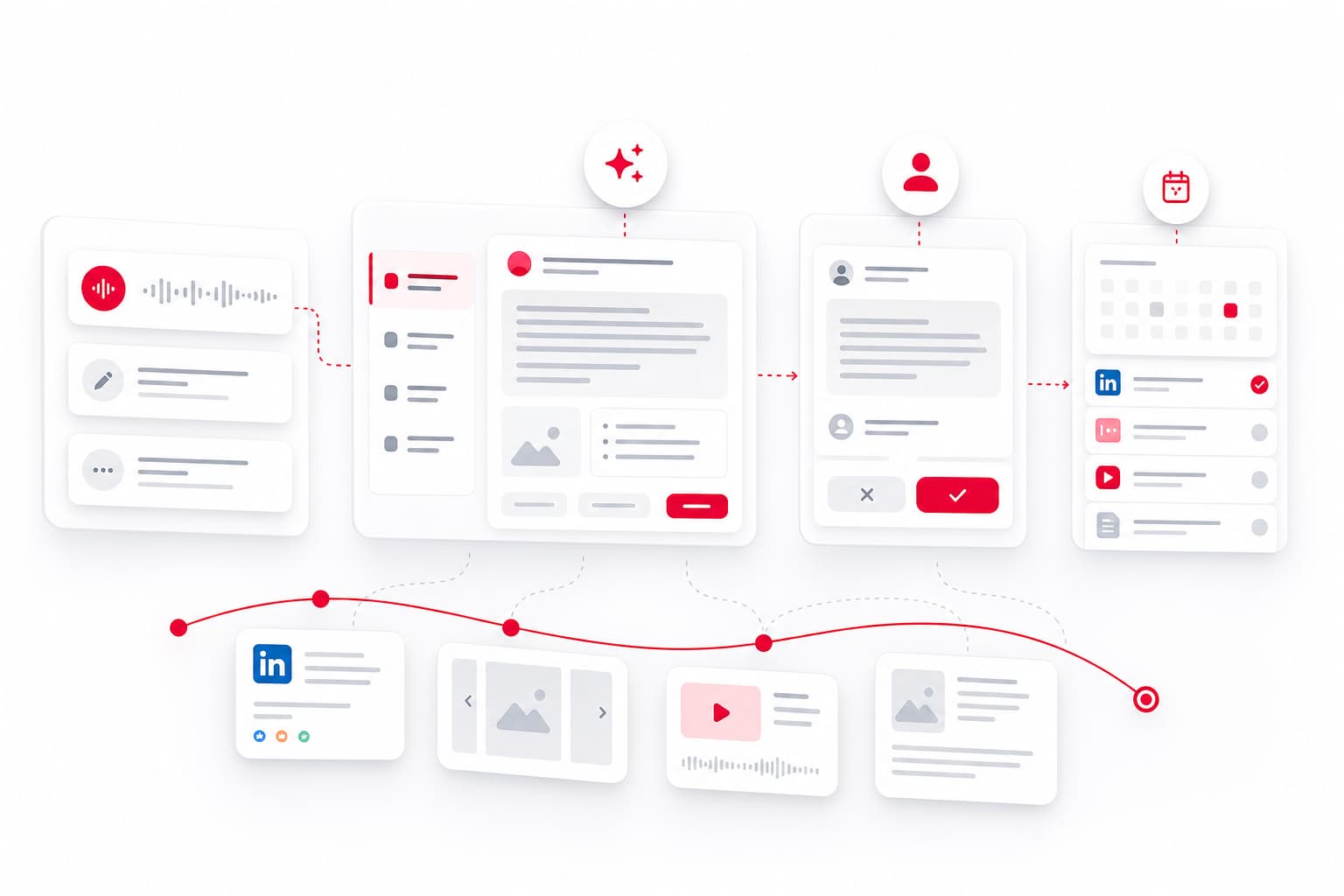
YALG functions as a Content OS for founders who want to stay visible on LinkedIn without building a content team. The core workflow: record a 3-minute voice memo with an anecdote or lesson, and YALG generates a week's worth of posts, carousels, and short scripts. Everything goes into a queue for validation before publishing—so nothing goes live without your approval.
Best for: B2B founders who have plenty of ideas but no time to write. The system preserves your voice because you're the source material, not a generic prompt.
Taplio
Taplio combines a LinkedIn content generator with scheduling and analytics. It offers AI-assisted post writing, carousel templates, and a content inspiration database pulled from high-performing LinkedIn posts. The AI can rewrite drafts or generate hooks based on your topic.
Best for: Solo creators who want an all-in-one tool for writing, scheduling, and tracking what resonates.
Jasper
Jasper is a general-purpose AI writing assistant with LinkedIn-specific templates. It handles posts, articles, and even ad copy. The platform supports brand voice training, so outputs align with your tone over time.
Best for: Teams already using Jasper for broader content marketing who want LinkedIn as an additional channel.
Copy.ai
Copy.ai offers quick AI post generation with a library of templates. The free tier is usable for occasional posting. The paid version adds more workflows and integrations.
Best for: Users testing AI writing who don't need advanced scheduling or analytics.
Top LinkedIn Outreach Automation Tools
Outreach automation is higher-risk but potentially higher-reward. These tools automate connection requests, follow-ups, and message sequences.
Expandi
Expandi is a cloud-based LinkedIn automation software built around safety. It uses dedicated IP addresses, mimics human behavior patterns, and includes smart limits to avoid triggering LinkedIn's detection systems. Features include automated connection requests, personalized message sequences, and integration with email outreach.
Best for: Sales teams running outbound campaigns who need volume without risking account restrictions.
Dripify
Dripify automates LinkedIn outreach through multi-step funnels. You can build sequences that send connection requests, wait for acceptance, then follow up with personalized messages. It includes A/B testing and analytics on open and reply rates.
Best for: B2B teams that want structured drip campaigns with detailed performance tracking.
Phantombuster
Phantombuster is a scraping and automation platform with LinkedIn-specific "Phantoms." You can extract leads from LinkedIn search results, Sales Navigator, or group members, then push them into outreach sequences. It's powerful but requires more setup.
Best for: Growth hackers comfortable with technical configuration who want granular control over lead sourcing.
Waalaxy
Waalaxy combines LinkedIn automation with email outreach in one platform. It emphasizes safety with human-like sending patterns and cloud execution. The interface is beginner-friendly compared to Phantombuster.
Best for: Small teams wanting multi-channel outreach without juggling multiple tools.
AI Tools for LinkedIn Profile Optimization
Your profile is the landing page for every outreach attempt and content engagement. These tools help you optimize it.
Resume Worded
Resume Worded's LinkedIn Review feature analyzes your profile and provides specific recommendations for your headline, summary, and experience sections. It scores your profile and prioritizes fixes based on impact.
Best for: Individuals looking for quick, actionable feedback to improve discoverability.
Jobscan LinkedIn Optimization
Jobscan compares your profile against target job descriptions or industry benchmarks. The AI suggests keywords and phrasing to improve alignment and search visibility.
Best for: Job seekers optimizing for recruiter searches.
AuthoredUp
While primarily a content tool, AuthoredUp includes profile analytics that show how your headline and summary perform relative to engagement. It helps you iterate based on actual data.
Best for: Creators who want profile optimization tied to content performance.
LinkedIn Analytics and Engagement Tools
Understanding what works—and why—is the difference between random posting and a system that compounds.
Shield
Shield is a dedicated LinkedIn analytics platform that tracks post performance, audience growth, and engagement trends over time. It shows which content types, topics, and posting times drive results.
Best for: Active posters who want deep analytics without relying on LinkedIn's native (limited) insights.
inlytics
Inlytics offers profile and content analytics with a clean dashboard. It tracks impressions, engagement rates, and follower demographics. The tool also benchmarks your performance against similar accounts.
Best for: Users who want straightforward analytics without the complexity of enterprise platforms.
Taplio (Analytics Module)
Taplio's analytics are built into its broader platform. You can see which posts performed best, track follower growth, and identify patterns in engagement. Not as deep as Shield, but convenient if you're already using Taplio for content.
Best for: Taplio users who want unified content creation and analytics.
Pricing Comparison: Free vs Paid LinkedIn AI Tools
Here's what you can expect to pay across categories as of mid-2026:
| Category | Tool | Free Tier | Paid Starting Price |
|---|---|---|---|
| Content Creation | Copy.ai | Yes (limited) | ~$49/month |
| Content Creation | Taplio | No | ~$49/month |
| Content Creation | YALG | 14-day trial | Contact for pricing |
| Content Creation | Jasper | No | ~$49/month |
| Outreach Automation | Waalaxy | Yes (basic) | ~$69/month |
| Outreach Automation | Dripify | No | ~$79/month |
| Outreach Automation | Expandi | No | ~$99/month |
| Outreach Automation | Phantombuster | Limited | ~$69/month |
| Profile Optimization | Resume Worded | Yes (basic) | ~$29/month |
| Analytics | Shield | No | ~$25/month |
| Analytics | inlytics | Yes (basic) | ~$15/month |
Budget guidance: If you're testing the waters, start with free tiers for content and analytics. Outreach automation rarely has meaningful free options—plan for $69–99/month minimum for usable features. Content systems like YALG are priced for founders who value time savings over feature checklists.
LinkedIn Terms of Service and Automation Compliance
LinkedIn's User Agreement prohibits automated scripts that scrape data, send mass connection requests, or simulate human activity without authorization. In 2026, enforcement includes temporary restrictions, permanent bans, and—in some cases—legal action for commercial scraping.
What's Generally Safer
- Content AI tools that help you write, then you manually post (or use LinkedIn's native scheduling)
- Automation tools with cloud execution, dedicated IP addresses, randomized delays, and gradual activity warm-up
- Tools that integrate via LinkedIn's official API for approved functions
What's Riskier
- Browser extensions that run automation from your logged-in session
- High-volume connection requests (anything above 20–30 per day raises flags)
- Tools that scrape Sales Navigator or premium features without LinkedIn's permission
Practical advice: If you use automation, treat your LinkedIn account like a business asset. Use dedicated accounts for outreach testing, keep volume low initially, and never rely on a single tool as your only lead source.
How to Choose the Right AI Tool for Your LinkedIn Goals
Matching tools to goals saves money and frustration.
If you want to build thought leadership and stay top-of-mind:
Start with a content creation system that captures your actual ideas and turns them into posts. Tools like YALG are built for founders who have insights but hate the blank page. Pair with Shield or inlytics to track what resonates.
If you want to generate leads and fill your pipeline:
Combine a profile optimization tool (Resume Worded) with an outreach automation platform (Expandi or Dripify). Prioritize tools with safety features and realistic volume limits.
If you want to understand what's working before investing more:
Start with analytics. Shield or inlytics will show you whether your current content is actually reaching anyone—and where to focus.
If you're budget-constrained:
Use Copy.ai's free tier for content, LinkedIn's native analytics, and manual outreach. Upgrade only when you've proven the channel works for your business.
FAQ
Are AI automation tools safe to use on LinkedIn in 2026?
LinkedIn continues to enforce restrictions on automation, but tools designed with safety features—dedicated proxies, rate limiting, human-like delays, and cloud execution—reduce risk significantly. Content-focused AI tools that help you write (without automating posting or connections) carry almost no risk. Outreach automation requires more caution: start slow, use reputable platforms, and never run browser-based automation on your primary account.
What is the best free AI tool for LinkedIn content creation?
Copy.ai offers the most capable free tier for generating LinkedIn posts, though you'll hit limits quickly. For a more structured approach, some tools offer free trials (like YALG's 14-day Pro trial) that let you test a full content workflow before committing. Free tiers typically lack scheduling, voice training, and analytics.
Can AI tools help me get more LinkedIn engagement without risking my account?
Yes—if you focus on content creation rather than automation. AI writing assistants help you post more consistently and test different formats, which naturally increases engagement. Unlike outreach automation, these tools don't trigger LinkedIn's detection systems because you're still publishing through LinkedIn's native interface.
How much do LinkedIn AI tools typically cost in 2026?
Content creation tools typically start around $29–49/month. Outreach automation platforms range from $69–99/month for individual plans, with enterprise pricing for teams. Analytics tools are the cheapest category, often starting under $25/month. Total cost for a full LinkedIn stack (content + automation + analytics) usually lands between $150–250/month.
Start Building Your LinkedIn System
The best AI tool for LinkedIn isn't the one with the longest feature list—it's the one that fits how you work. If you're a B2B founder who wants to stay visible without hiring a content team, explore tools that turn your ideas into a supervised publishing cadence. Capture your lessons, validate before posting, and let the system handle the rest.
See YALG in action →