Best AI LinkedIn Post Generators in 2026: Tools, Tips & Comparisons
Creating consistent, engaging LinkedIn content is exhausting. Between finding ideas, writing drafts, and maintaining your authentic voice across posts, many creators, consultants, and marketers hit a wall. That's where a generateur post linkedin ia comes in—an AI-powered tool designed to transform your ideas into polished posts while saving hours every week.
In this guide, we'll compare the best AI LinkedIn post generators available in 2026, walk through exactly how to use them, and share strategies for preserving your personal brand while leveraging automation.
What Is an AI LinkedIn Post Generator and Why Use One in 2026?
An AI LinkedIn post generator is a content creation tool that uses artificial intelligence to draft, refine, and optimize posts for LinkedIn. These tools analyze your input—whether a topic, a story, or a rough idea—and produce ready-to-publish content tailored to professional networking.
Why the surge in adoption?
LinkedIn's algorithm in 2026 continues to reward consistency. Posting regularly signals relevance, but most professionals struggle to maintain a steady cadence alongside their primary work. AI writing tools bridge that gap by:
- Reducing creative fatigue: Instead of staring at a blank screen, you start with a structured draft
- Accelerating workflows: What once took 45 minutes might take 10
- Improving engagement: Many generators incorporate best practices for hooks, formatting, and calls-to-action
The LinkedIn content creator AI space has matured significantly. Tools now learn your voice, suggest post variations, and even handle multi-platform repurposing. For coaches, freelancers, consultants, and marketing teams publishing across channels, this efficiency gain is no longer optional—it's a competitive advantage.
Top AI LinkedIn Post Generators Compared: Features, Pricing & Use Cases
Choosing the right AI writing tool for LinkedIn depends on your workflow, budget, and goals. Here's how leading options stack up in 2026:
YALG (Yet Another LinkedIn Generator)
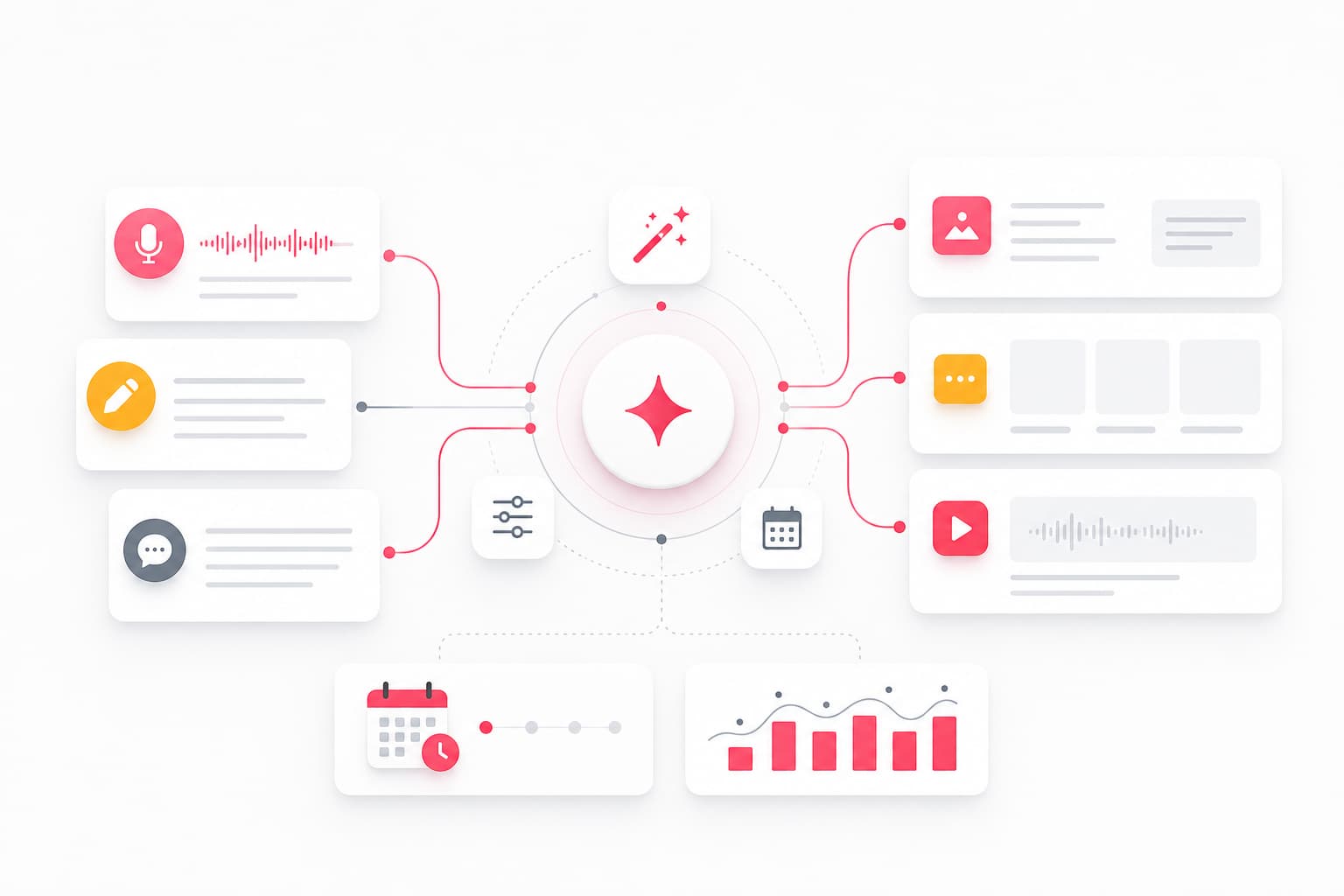
YALG positions itself as a "Creator OS" that goes beyond single-post generation. It's built around a story library concept: you input anecdotes via text or voice, and the platform transforms them into LinkedIn posts, Instagram carousels, and YouTube scripts.
Key features:
- Voice recording with transcription for capturing ideas naturally
- Multi-platform publishing (LinkedIn, Instagram, YouTube)
- Autopilot scheduling for consistent posting
- Unified analytics dashboard
Best for: Creators and consultants who want one hub for cross-platform content without juggling multiple tools.
Taplio
Taplio focuses specifically on LinkedIn growth with features like content inspiration feeds, carousel creation, and engagement tools.
Key features:
- AI-generated post ideas based on trending topics
- CRM-style relationship tracking for LinkedIn connections
- Chrome extension for on-platform engagement
Best for: LinkedIn-focused users who want growth tools bundled with content generation.
Copy.ai
A general-purpose AI copywriting platform with LinkedIn post templates among dozens of content formats.
Key features:
- Wide template library (emails, ads, social posts)
- Workflow automation for content teams
- Brand voice customization
Best for: Marketing teams needing versatile AI copywriting across channels.
Jasper
One of the most established AI writing tools, Jasper offers long-form and short-form content creation with collaboration features.
Key features:
- Advanced brand voice training
- Team workspaces and approval flows
- Integrations with Surfer SEO and other marketing tools
Best for: Larger teams with complex content operations and budget flexibility.
Free options worth considering
Several platforms offer free tiers or limited free generations:
- ChatGPT (free tier): Useful for brainstorming and drafting, though requires more manual editing for LinkedIn-specific optimization
- Canva's Magic Write: Basic AI generation integrated into design workflows
- YALG's free plan: Allows initial exploration of the story-to-content approach
When evaluating tools, consider: Do you need LinkedIn-only or multi-platform support? How important is voice customization? What's your monthly posting volume?
How to Create Engaging LinkedIn Posts with AI: A Step-by-Step Guide
Using an AI LinkedIn post generator effectively requires more than hitting "generate." Here's a practical workflow:
Step 1: Start with a real story or insight
The best AI output comes from genuine input. Before generating, capture:
- A client interaction that taught you something
- A mistake you made and what you learned
- An industry observation that surprised you
- A question you keep getting asked
Many creators find voice recording helpful here—just talk through the idea for 60 seconds, then let AI handle the transcription and structuring.
Step 2: Choose your format and goal
LinkedIn supports various content types, and your generator should adapt:
- Text posts: Ideal for personal stories, quick tips, or thought leadership
- Carousels: Great for step-by-step guides or listicles
- Polls: Useful for engagement but require strategic questions
- Articles: Better for deep-dive content you want indexed
Specify the format when generating to get appropriately structured output.
Step 3: Generate and evaluate multiple versions
Don't accept the first draft. Generate 2-3 variations and compare:
- Which hook is strongest?
- Does the structure flow logically?
- Is the call-to-action clear?
Treat AI output as a starting point, not a finished product.
Step 4: Edit for authenticity
This is where most people skip—and where quality suffers. Add:
- A specific detail from your experience
- Your actual opinion (not generic advice)
- A question that invites genuine response
Remove anything that sounds like it could come from anyone.
Step 5: Schedule strategically
Consistency matters more than perfection. Use scheduling features to maintain a regular cadence—whether that's daily, three times per week, or weekly. Tools with autopilot functionality can handle this automatically once you've approved content.
Preserving Your Authentic Voice When Using AI Tools
The biggest concern with automated LinkedIn posts is sounding robotic or generic. Here's how to prevent that:
Build a voice profile
Modern AI LinkedIn post generators can learn your style. Feed them:
- Examples of your best-performing posts
- Phrases you frequently use
- Topics you're known for
The more context you provide, the more the output sounds like you rather than a template.
Add what AI can't know
AI doesn't know that you spilled coffee on your laptop before a big presentation, or that your client's breakthrough came from a random comment you made. These specific, human details transform generic advice into memorable content.
Review every post before publishing
Even with advanced tools, never auto-publish without review. A quick 2-minute scan catches:
- Factual errors or outdated information
- Tone mismatches with your brand
- Generic phrases that weaken the message
Maintain a story library
One effective approach is keeping an ongoing collection of anecdotes—client wins, personal lessons, industry observations. When you need content, draw from this library rather than starting cold. Platforms built around this concept make generation faster and more authentic because every post connects to something real.
LinkedIn Algorithm and AI Content: What Works in 2026
LinkedIn's stance on AI-generated content has evolved. As of 2026, AI-assisted creation is permitted, but the platform prioritizes authentic engagement and penalizes obvious spam.
Current algorithm signals that matter
- Dwell time: How long viewers spend reading your post
- Meaningful comments: Substantive replies (not just "Great post!")
- Share velocity: How quickly your content spreads in the first hour
- Profile authority: Consistent posting history and engagement patterns
What to avoid
- Mass-generated content without personalization: The algorithm recognizes templated patterns
- Engagement bait: Tactics like "Comment YES if you agree" are now deprioritized
- Immediate link posting: Embedding external links in the main post reduces reach; consider comment linking
Best practices for AI-generated content
- Personalize every post with specific details
- Engage genuinely with comments on your posts
- Vary your content formats and topics
- Post during your audience's active hours (analytics tools can identify these)
The goal isn't to trick the algorithm but to create content people genuinely want to read. AI helps with the creation; authenticity determines the reach.
Advanced Tips: Scheduling, Repurposing, and Multi-Platform Strategies
Once you've mastered basic generation, optimize your entire content workflow:
Post scheduling that works
Consistency beats sporadic brilliance. Set a sustainable cadence:
- Minimum: 2-3 posts per week for meaningful growth
- Optimal: Daily posting during growth phases
- Maximum: 2 posts per day (more can feel spammy)
Use scheduling features to batch content creation—many creators find a weekly "content session" more efficient than daily writing.
Repurposing across platforms
A strong LinkedIn post can become:
- An Instagram carousel with the same core message
- A YouTube short or script for longer video
- A newsletter segment
- A thread on other platforms
Tools that handle multi-platform transformation automatically save significant time. The key is adapting format and tone for each platform rather than copying content verbatim.
Building a content system
Move beyond ad-hoc posting to a repeatable system:
- Capture ideas continuously (voice memos, notes app)
- Schedule weekly generation sessions
- Review and personalize in batches
- Schedule 1-2 weeks ahead
- Analyze performance and adjust
This systematic approach eliminates the "what should I post today?" stress while maintaining quality.
Common Mistakes to Avoid with AI LinkedIn Post Generators
Even powerful tools produce poor results when misused. Watch for these pitfalls:
Over-relying on templates
Templates provide structure, but if every post follows the same format, your audience notices. Vary your approach:
- Some posts should be stories
- Some should be insights or lessons
- Some should ask questions
- Some should share resources
Publishing without editing
The difference between good and great content is the editing pass. Never skip it. Read your post aloud—awkward phrasing becomes obvious when spoken.
Ignoring performance data
AI can generate infinite content, but not all content performs equally. Track what resonates:
- Which topics get the most engagement?
- What formats work best for your audience?
- What posting times drive reach?
Use this data to inform future generation, not just to measure past performance.
Forgetting the human element
AI accelerates creation, but human connection drives engagement. If your content feels like it could come from any account, it won't build your personal brand. Always add:
- Your specific perspective
- Real examples from your experience
- Genuine questions you're curious about
Chasing virality over consistency
Some posts will perform exceptionally; most won't. That's normal. The compound benefit of consistent posting outweighs occasional viral hits. Focus on sustainable output rather than trying to manufacture breakthrough content every time.
Frequently Asked Questions
Are AI-generated LinkedIn posts allowed under LinkedIn's 2026 policies?
Yes. LinkedIn permits AI-assisted content creation. The platform emphasizes authenticity and value rather than prohibiting specific creation methods. The key requirements: don't mislead your audience about your expertise, don't spam, and ensure content represents your genuine perspective. AI is a tool; how you use it determines compliance.
Can an AI LinkedIn post generator match my personal writing style?
Modern tools can learn your voice surprisingly well. By providing examples of your previous content and specifying your tone preferences, generators adapt their output to match your style. The more context and feedback you provide over time, the more accurate the voice matching becomes. That said, human editing remains important for capturing nuances AI might miss.
What is the best free AI LinkedIn post generator in 2026?
For truly free options, ChatGPT's free tier offers capable generation with manual formatting required. Among dedicated LinkedIn tools, several offer limited free plans that let you test features before committing. YALG provides free exploration of its story-to-content approach. Canva's Magic Write works for simple posts. Evaluate based on your specific needs—free tiers often limit generation volume or advanced features.
How do I avoid sounding robotic when using AI for LinkedIn?
Three techniques work consistently: First, start with genuine stories rather than abstract topics—AI structures your real experiences better than generic prompts. Second, add specific details the AI couldn't know (names changed if needed, particular moments, actual numbers). Third, read every post aloud before publishing—your ear catches robotic phrasing faster than your eyes. The goal is using AI as a co-writer, not a replacement.
How often should I post on LinkedIn using an AI generator?
Quality and consistency both matter. For most professionals, 3-5 posts per week hits the sweet spot between visibility and sustainability. If you're in growth mode, daily posting accelerates results but requires more content. If you're maintaining presence, 2-3 weekly posts suffice. The advantage of AI tools is making higher frequency sustainable—but don't post more than you can personalize and engage with. Every post should still feel intentional.
Start Creating Smarter LinkedIn Content
The right AI LinkedIn post generator transforms content creation from a burden into a sustainable system. You capture your ideas, AI handles the heavy lifting, and you add the human touch that makes content resonate.
Whether you're a coach building thought leadership, a consultant attracting clients, or a marketing team managing multiple voices, these tools exist to reduce creative fatigue while maintaining—or improving—your content quality.
The next step is simple: try a tool that fits your workflow. Connect your platforms, add a few stories or ideas you've been meaning to share, and see what the AI produces. Most creators find they can publish more consistently within their first week—with less stress than before.
Your audience is already scrolling. Give them something worth stopping for.