AI Content Repurposing in 2026: How to Transform One Piece Into Multi-Platform Assets
Creating content for every platform is exhausting. You write a blog post, then need LinkedIn posts, a carousel, newsletter snippets, and maybe a video script. Multiply that across weeks, and the workload becomes unsustainable—especially for B2B founders and small teams without dedicated content staff.
This is where ai content repurposing changes the game. Instead of starting from scratch for each channel, you transform one solid piece of content into multiple platform-ready assets. In 2026, the tools and workflows have matured enough to make this practical, not just theoretical.
This guide walks through how AI content repurposing actually works, which tools deliver real value, and step-by-step workflows you can implement this week. No magic promises—just concrete methods with honest expectations about what AI can and cannot do.
What Is AI Content Repurposing and Why It Matters in 2026
AI content repurposing uses artificial intelligence to transform existing content into new formats suitable for different platforms. Unlike manual repurposing—where you rewrite, reformat, and adapt everything yourself—automated content repurposing handles the heavy lifting of content transformation.
The difference from traditional content recycling is speed and scale. Where a human might spend two hours turning a blog post into five LinkedIn posts, AI tools can generate initial drafts in minutes. You still review and refine, but the starting point is much further along.
Why does this matter now? Three converging pressures:
-
Platform fragmentation: Your audience is scattered across LinkedIn, newsletters, YouTube, podcasts, and emerging channels. One piece of content no longer reaches everyone.
-
Cadence expectations: Algorithms reward consistency. Posting once a month doesn't build visibility. B2B founders need regular content output to stay top-of-mind.
-
Resource constraints: Most founders and small teams cannot hire dedicated content teams. The gap between content needs and production capacity keeps widening.
AI content repurposing tools bridge this gap—not by replacing human judgment, but by accelerating the transformation process.
How AI Content Repurposing Tools Work: The Core Mechanics
Understanding what happens under the hood helps you use these tools more effectively. Most AI repurposing software follows a similar workflow:
Ingestion and Format Detection
The tool accepts your source content—a blog post URL, uploaded document, video file, audio recording, or transcript. It identifies the content type and extracts the underlying text, timestamps, or structured data.
Content Extraction and Analysis
The AI analyzes your content to identify:
- Key themes and main arguments
- Quotable statements and statistics
- Logical sections that could stand alone
- Emotional hooks and story elements
This analysis determines which pieces can be extracted and reformatted.
Multi-Format Output Generation
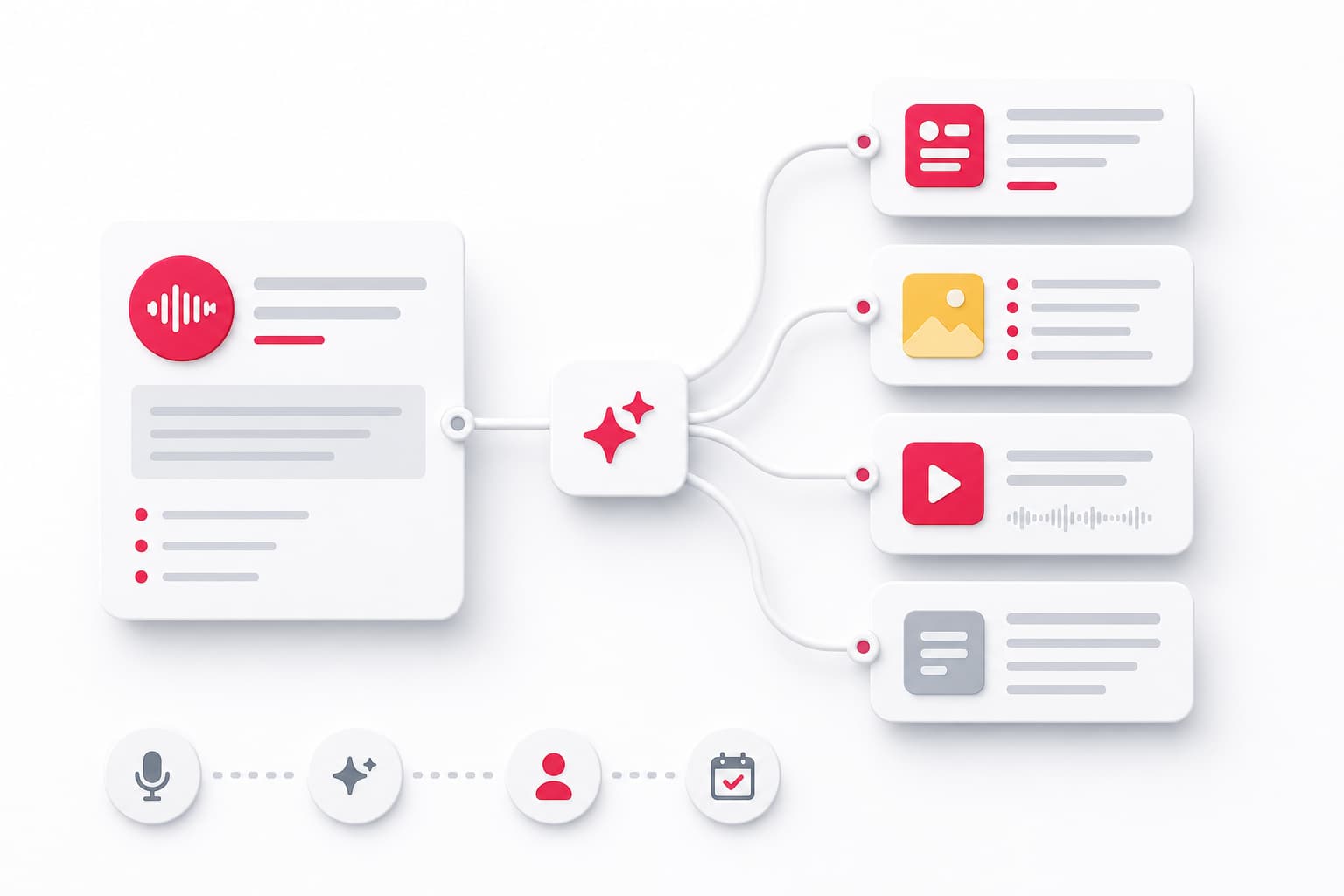
Based on your target formats, the AI content generator produces drafts. A single blog post might generate:
- 5-7 LinkedIn posts (different angles on the same topic)
- A carousel outline with slide-by-slide content
- Newsletter intro copy
- Social media snippets for different platforms
- Video script bullet points
Template and Style Application
Better tools apply formatting rules, character limits, and style guidelines. Some allow you to input brand voice examples so outputs match your existing content more closely.
The output is always a draft. Content automation handles the transformation; human review handles the quality control.
Top AI Content Repurposing Tools to Consider in 2026
The market has matured significantly. Here's an honest overview of current platforms without overpromising capabilities:
General-Purpose Repurposing Platforms
Repurpose.io focuses on video and audio content, automatically distributing clips across platforms. Strong for podcasters and video creators; less suited for text-first workflows.
Lately analyzes your existing high-performing content to generate social posts that match your style. Requires enough historical data to train effectively.
ContentStudio combines content curation with repurposing features. Good for teams managing multiple brands or content calendars.
AI Writing Tools with Repurposing Features
Jasper and Copy.ai include templates for transforming long-form content into shorter formats. Flexible but require more manual orchestration.
Claude and ChatGPT (with custom instructions) can handle sophisticated repurposing tasks when you provide clear prompts and examples. More setup required, but highly customizable.
Specialized Tools
Descript excels at video-to-text workflows, with strong transcription and clip creation features.
Opus Clip and Vidyo.ai specialize in extracting short-form clips from long videos, useful for TikTok, Reels, and YouTube Shorts.
Castmagic and Swell AI focus specifically on podcast repurposing—turning episodes into show notes, articles, and social content.
Choosing the Right Tool
Match the tool to your primary content format:
- Text-first creators: General AI writing tools with good prompting
- Video-first creators: Descript, Opus Clip, or Repurpose.io
- Podcast-first creators: Castmagic or Swell AI
- Multi-format teams: ContentStudio or a combination approach
Pricing ranges from $20/month for basic tools to $200+/month for enterprise features. Most offer trials—test with your actual content before committing.
Step-by-Step Workflow: Blog Post to Social Media Content
Let's walk through a practical repurposing scenario. You've published a 1,500-word blog post on customer onboarding improvements. Here's how to transform it into a week of LinkedIn content:
Step 1: Extract Core Components
Read through your post and identify:
- The main thesis (1-2 sentences)
- 3-5 supporting arguments or examples
- Any statistics or specific results
- Contrarian or surprising points
- Actionable takeaways
Step 2: Generate Initial Drafts
Feed the blog post into your AI tool with specific prompts:
"Transform this blog post into 5 LinkedIn posts. Each should focus on a different angle: (1) the main thesis as a hook, (2) a specific example as a mini-story, (3) a contrarian take, (4) an actionable tip, (5) a question to spark discussion. Keep each under 200 words."
Step 3: Create a Carousel Outline
Carousels perform well on LinkedIn for B2B content. Prompt:
"Create a 7-slide carousel from this post. Slide 1: hook. Slides 2-6: one key point each with supporting detail. Slide 7: summary and soft CTA."
Step 4: Platform-Specific Adaptation
If you're also posting to X (Twitter), request thread versions:
"Convert the main argument into a 5-tweet thread. Use short sentences. Lead with the most surprising insight."
Step 5: Human Review and Refinement
This is non-negotiable. Check each draft for:
- Accuracy (AI sometimes misrepresents your original points)
- Voice consistency (does it sound like you?)
- Platform fit (character limits, formatting conventions)
- Hook strength (will it stop the scroll?)
Edit ruthlessly. The AI gives you raw material; you shape the final product.
Step 6: Schedule and Monitor
Queue posts across the week. Track which angles resonate. Feed that data back into future repurposing decisions.
Time investment: 30-45 minutes for a full week of LinkedIn content from one blog post, versus 3-4 hours doing it manually.
Step-by-Step Workflow: Video to Blog and Written Assets
Webinars, interviews, and tutorial videos contain substantial content that often stays locked in video format. Here's how to extract blog posts and text-based assets using AI tools:
Step 1: Generate an Accurate Transcript
Use Descript, Otter.ai, or your video platform's built-in transcription. Review for accuracy—speaker names, technical terms, and company names often need correction.
Step 2: Identify Content Clusters
A 45-minute webinar might contain 4-6 distinct topics. Mark timestamp ranges for each cluster. These become your potential blog sections or standalone pieces.
Step 3: Transform to Blog Format
Feed each content cluster to your AI tool:
"Transform this transcript excerpt into a blog section. Remove filler words and conversational tangents. Maintain the speaker's core arguments but structure for reading, not listening. Add a clear subheading."
Step 4: Create Derivative Assets
From the same video, you can generate:
- Executive summary: 300-word overview of key points
- Quote graphics: Shareable statements for social media
- FAQ content: Questions asked during Q&A, reformatted as article FAQs
- Email content: Key insight as newsletter teaser driving to full video
Step 5: Cross-Reference and Link
The blog post links to the original video. Social posts link to the blog. The video description links to the written version. This cross-channel content strategy maximizes visibility from a single recording.
Video to text AI workflows work best when the original content is substantive. A rambling, unfocused video produces rambling, unfocused text—no AI can fix weak source material.
Step-by-Step Workflow: Podcast to Articles and Social Clips
Podcast repurposing offers particularly high ROI because episodes often contain extended conversations that translate well to written formats.
Step 1: Transcribe with Speaker Labels
Use a tool that distinguishes speakers. Castmagic and Descript handle this well. Review the transcript for accuracy on names and terminology.
Step 2: Extract Article-Worthy Segments
Look for segments where:
- A guest shares a specific framework or methodology
- Someone tells a concrete story with clear takeaways
- The conversation lands on actionable advice
- Contrarian or surprising opinions emerge
Step 3: Generate Long-Form Content
For podcast repurposing to articles, prompt:
"Transform this podcast segment into an 800-word article. Frame it as insights from [Guest Name]. Remove interview back-and-forth—write as standalone editorial content while attributing key ideas to the speaker."
Step 4: Create Audio and Visual Clips
Most podcast tools generate audiograms—short audio clips with visual waveforms. Select 30-60 second segments with strong standalone value.
For quote graphics, pull memorable one-liners and format with your brand elements.
Step 5: Newsletter Integration
Your newsletter doesn't need to just announce new episodes. Use AI to generate:
- Episode summaries with key takeaways
- "Best of" compilations pulling from recent episodes
- Thematic roundups connecting insights across guests
This content marketing automation turns a weekly recording habit into multi-platform content that reinforces your expertise continuously.
Maintaining Brand Voice and Quality Control With AI Outputs
This is where most AI content repurposing efforts fail. The speed gains disappear when you're rewriting generic AI output to sound like yourself.
Training AI on Your Voice
Before repurposing, create a voice profile:
- Collect 5-10 examples of your best content
- Note specific patterns: sentence length, vocabulary choices, punctuation habits
- Identify what you never say (jargon you avoid, tones that feel off-brand)
Include this context in your prompts:
"Match the voice in these examples: [paste samples]. This means: direct sentences, concrete examples, no corporate jargon, occasional dry humor."
Human Editing Workflow
AI writing tools produce drafts. Your editing process:
- First pass: Fix factual errors and misrepresentations
- Second pass: Adjust voice and word choices
- Third pass: Optimize for platform (hooks, formatting, CTAs)
Budget 5-10 minutes per piece for quality control. This is where brand voice consistency lives.
Creating Review Checkpoints
For teams, establish clear review gates:
- AI generates drafts
- First human reviews for accuracy
- Brand owner reviews for voice
- Final approval before scheduling
Skipping these steps to save time undermines the entire process. Automated content repurposing accelerates production; it doesn't replace editorial judgment.
Realistic Time and Cost Savings: What to Actually Expect
Let's set honest expectations. Content automation delivers significant efficiency gains, but the numbers vary based on your situation.
Time Savings by Content Type
| Source Content | Manual Repurposing | With AI Tools | Realistic Savings |
|---|---|---|---|
| Blog post → 5 social posts | 2-3 hours | 30-45 minutes | 70-80% |
| 1-hour video → blog post | 4-5 hours | 1-1.5 hours | 65-75% |
| Podcast → article + clips | 3-4 hours | 45-60 minutes | 70-80% |
These assume you've already set up your tools and prompts. Initial setup adds 2-4 hours of learning and configuration.
What the Savings Don't Include
- Tool costs ($50-200/month for robust workflows)
- Initial training time
- Ongoing prompt refinement
- Quality control passes (which you should never skip)
ROI Calculation for Small Teams
If you value your time at $150/hour (reasonable for founders), saving 10 hours monthly on content repurposing equals $1,500 in recovered time. Tool costs of $100-150/month deliver clear positive ROI.
For solopreneurs, the math works even at lower hourly valuations because the alternative—not producing multi-platform content—has significant opportunity cost in visibility and reach.
Workflow Efficiency Compounds
The real gains appear over time. As you refine prompts, build templates, and establish processes, each repurposing cycle gets faster. Month one might feel clunky; month three flows smoothly.
Common Mistakes and How to Avoid Them
After helping teams implement these workflows, certain pitfalls appear repeatedly. Here's what to watch for:
Mistake 1: Publishing AI Output Without Review
The speed is tempting. Resist it. Unreviewed AI content often contains:
- Subtle factual errors
- Generic phrasing that sounds like everyone else
- Missing context that was obvious in the original
- Awkward transitions or repetitive structures
Prevention: Build review time into your workflow as non-negotiable. If you don't have time to review, don't publish.
Mistake 2: Ignoring Platform-Specific Formatting
A LinkedIn post is not a tweet is not a newsletter intro. AI tools often produce platform-agnostic text that needs adaptation.
Prevention: Use platform-specific prompts. Specify character limits, formatting conventions, and audience expectations for each output.
Mistake 3: Over-Relying on Single Source Material
If your source content is thin, your repurposed content will be thin. Repurposing amplifies quality—in both directions.
Prevention: Invest in substantial source content. A meaty 2,000-word article yields more derivative pieces than a shallow 500-word post.
Mistake 4: Skipping the Learning Feedback Loop
Not all repurposed content performs equally. Without tracking what works, you can't improve.
Prevention: Track engagement by content type and angle. Feed insights back into your prompts and source content strategy.
Mistake 5: Expecting Full Automation
AI limitations remain real. The technology handles transformation, not strategy. It cannot know which topics resonate with your specific audience or which angles differentiate your brand.
Prevention: Use AI for execution acceleration, not content strategy. Your judgment about what to create and why remains essential.
Frequently Asked Questions
Can AI repurposing tools maintain my brand voice across formats?
AI tools can follow brand guidelines, but consistency requires human training and review. The most effective approach: provide voice examples in your prompts, create templates with brand-specific language, and always review outputs before publishing. Expect to iterate—the AI learns from corrections, and your prompts improve with each cycle.
How much time does AI content repurposing actually save?
Realistic estimates: 60-80% time reduction once workflows are established. However, setup takes 2-4 hours initially, and each piece still requires 5-15 minutes of human review. The savings come from eliminating the blank-page problem and accelerating first drafts, not from removing human involvement entirely.
What types of content work best for AI repurposing?
High-value source formats include long-form blog posts (1,500+ words), webinars and recorded presentations, podcast interviews with substantive discussion, and detailed case studies. The common thread: enough substance to generate multiple derivative pieces. Short, surface-level content yields limited repurposing value.
Do I still need to edit AI-repurposed content?
Yes, without exception. Human editing remains essential for factual accuracy (AI misinterprets source material), tone consistency (matching your authentic voice), and platform optimization (hooks, formatting, CTAs). Plan for editing as part of your workflow, not an optional add-on.
Is AI content repurposing worth it for small teams or solopreneurs?
Absolutely—often more so than for larger teams. Solopreneurs and small teams face the widest gap between content needs and production capacity. Even basic workflows (blog → 3 LinkedIn posts) deliver meaningful time savings. Start with one repeatable process, prove it works, then expand.
Moving Forward: Building Your Content Pipeline
AI content repurposing works when it's systematic, not sporadic. The pattern: create one substantial piece, transform it into platform-specific assets, review with care, publish consistently, and learn from what resonates.
The founders who make this work don't treat it as a magic shortcut. They treat it as content automation infrastructure—a system that accelerates the transformation work while preserving their voice and judgment.
Start with your highest-performing source content. Build one repurposing workflow until it's smooth. Then expand.
The goal isn't to produce more content for its own sake. It's to maintain the visibility and cadence that keeps you top-of-mind with your audience—without content creation consuming every available hour.
For B2B founders who need a steady content pipeline without a content team, that efficiency isn't optional. It's how you stay visible while actually running your business.